
How to Use a Word Counter to Improve Writing Accuracy – Tips for Better Content
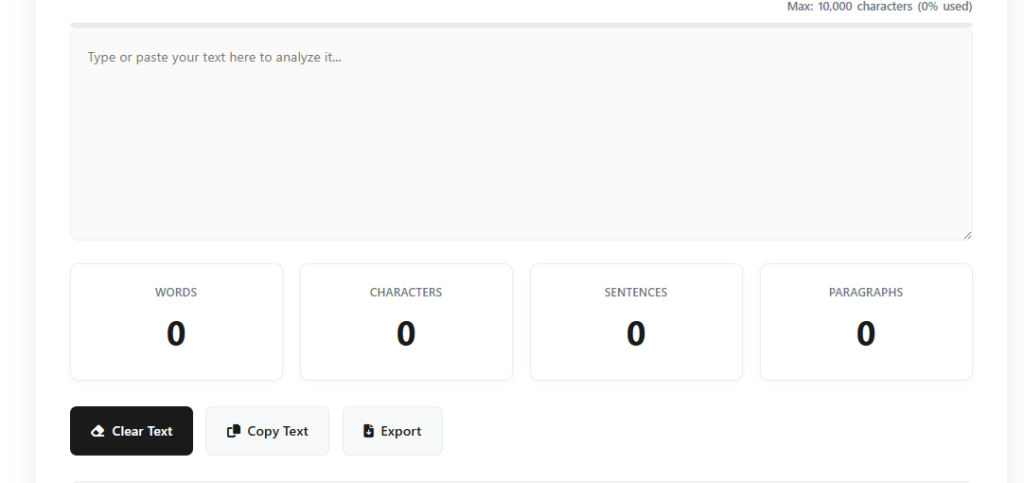
Writing is an art, and like any art, it requires precision, clarity, and balance. Whether you’re crafting blog posts, academic papers, or business reports, effective writing relies on both content quality and structure. One of the tools that can significantly enhance your writing accuracy is a word counter. This often-overlooked tool not only helps you meet word count requirements but also improves readability, structure, and overall content quality. In this blog, we will explore how a word counter can optimize your writing process, offering practical tips and strategies for using this tool effectively to improve your writing accuracy. Why Writing Accuracy Matters Before delving into how a word counter can help, it’s important to understand why writing accuracy matters. Writing accuracy ensures that your message is communicated clearly and concisely, without unnecessary fluff or ambiguity. It impacts your content’s readability, engagement, and SEO effectiveness. Here are a few reasons why writing accuracy is critical: Clarity: Accurate writing helps readers easily understand the message. Professionalism: Well-structured writing enhances your credibility. Engagement: Concise, to-the-point content keeps readers interested and engaged. SEO: Accurate writing ensures you meet SEO guidelines without unnecessary word bloat. What is a Word Counter and How Does It Work? A word counter is a tool that counts the number of words in a given text. However, it offers more than just a simple count. Many modern word counters come with additional features like: Character count: Count the number of characters with and without spaces. Sentence count: Track how many sentences are present. Reading time: Estimate how long it would take to read the text. Keyword frequency: Analyze how often certain words appear. These features can be invaluable when you’re working on writing projects that have specific guidelines, such as blog posts, essays, or SEO-optimized content. The Role of a Word Counter in Improving Writing Accuracy 1. Ensuring You Stay Within Word Count Limits One of the most obvious advantages of using a word counter is staying within the word count limit. Whether you’re writing for a publication that has strict guidelines or need to hit a target number for SEO purposes, knowing exactly how many words you’ve written can prevent you from going off-track. How a word counter helps: Stay focused: Helps you maintain brevity and focus on your core ideas. Avoid filler content: Encourages you to write only what’s necessary and avoid over-explaining. Meet deadlines: Helps you manage your time better by giving you a real-time word count. 2. Improving Readability and Flow A word counter can also help improve your content’s readability. By paying attention to sentence and paragraph length, you can create content that is easier for your readers to process. Shorter, more concise sentences are often easier to read and more engaging. How a word counter helps: Monitor sentence length: Keeps an eye on how long your sentences are, ensuring they don’t become too long and complex. Avoid redundancy: Ensures your content doesn’t repeat ideas unnecessarily, keeping your writing concise. Better structure: Promotes the creation of shorter, digestible paragraphs that flow better. 3. Enhancing SEO Performance SEO writing isn’t just about keyword density and quality content; it also depends on how well you structure your article. A word counter can assist you in balancing keyword usage, ensuring that your primary and secondary keywords are naturally integrated without keyword stuffing. How a word counter helps: Maintain keyword balance: Helps you keep your primary keyword usage within optimal density, ensuring your content remains natural. Track content length for SEO: Longer content tends to rank better on search engines, and a word counter can help you hit the recommended content length. Track readability for SEO: Tools like Yoast SEO provide readability analysis, and a word counter can help you refine your content to meet these standards. 4. Identifying Keyword Stuffing Keyword stuffing occurs when a writer unnaturally forces keywords into their content to manipulate search engine rankings. A word counter can identify when a specific keyword is overused, helping you avoid this SEO pitfall. How a word counter helps: Track frequency: By monitoring how often specific words are used, a word counter helps you maintain a natural flow. Avoid repetition: Ensures that you don’t repeat keywords too often, preserving the quality of your content. 5. Preventing Content Bloating It’s easy to fall into the trap of padding your content with unnecessary words to meet a word count. A word counter helps you avoid bloated content by encouraging clarity and precision. How a word counter helps: Stay concise: Encourages a leaner writing style by helping you focus on essential points. Remove filler words: Helps you eliminate redundant phrases that don’t add value. Key Features to Look for in a Word Counter Tool When choosing a word counter, look for one that offers the following features: Accuracy: It should provide precise word and character counts. User-friendly interface: An intuitive and easy-to-use design helps streamline your writing process. Additional metrics: Features like sentence count, reading time, and keyword frequency analysis can be extremely helpful. SEO tools: Some word counters integrate with SEO analysis tools, helping you optimize content for search engines. Here are a few popular word counters: WordCounter.net: Offers detailed insights like keyword frequency, reading time, and more. Grammarly: While primarily a grammar checker, it includes a word counter to help optimize your content length. Hemingway Editor: Provides readability statistics alongside a word count feature. How to Effectively Use a Word Counter in Your Writing Process 1. Start with a Clear Goal Before you begin writing, know your word count goal. Whether it’s 500 words for a quick blog post or 2,000 words for an in-depth guide, setting a clear word count goal can keep you focused and on track. 2. Use It During the Drafting Phase Don’t wait until you’ve written a full draft to use a word counter. Instead, keep it open as you write, allowing you to monitor your progress. This helps you stay within the required word count and ensures you don’t go overboard with