
How Many Words Are in the Bible?

The Bible is one of the most widely read, studied, and revered books in history. It has influenced countless aspects of culture, law, literature, and spirituality. But have you ever wondered how many words are actually in the Bible? Surprisingly, the answer is not straightforward. The total word count depends on the translation, language, and version being used. In this article, we break down the word counts of the Bible in English, other languages, and different translations, explaining why the numbers vary and what that means for readers and scholars. Word Count in English Translations English translations of the Bible differ in word count because translators make different choices in language, style, and readability. Here’s a look at some of the most popular versions: 1. King James Version (KJV) Total words: ~783,137 Old Testament: ~602,585 New Testament: ~180,552 The KJV, first published in 1611, uses older, more formal English. This makes it one of the longest English translations. Its elaborate phrasing and poetic style contribute to a higher word count compared to modern translations. 2. New International Version (NIV) Total words: ~727,969 The NIV, a modern translation first published in 1978, uses contemporary language to make the text easier to read. While shorter than the KJV, it still preserves the original meaning of the scriptures. 3. Other Popular Versions New American Standard Bible (NASB): ~782,815 words English Standard Version (ESV): ~757,439 words New Revised Standard Version (NRSV): ~895,891 words Differences in word count occur because translators may use longer or shorter phrases to convey the same meaning. Some versions, like the NRSV, also include inclusive language and expanded notes, slightly increasing the word total. Original Languages: Hebrew and Greek The Bible was originally written in Hebrew, Aramaic, and Greek, which affects the word count significantly. Hebrew Bible (Tanakh – Old Testament): ~306,000 words Septuagint (Greek Old Testament): ~611,000 words Greek New Testament: ~138,000 words Word counting in Hebrew and Greek is more complex than in English. Some words in Hebrew and Greek represent multiple words in English translations. For example, a single Hebrew word may require a full phrase in English to convey the same meaning. Latin Bible: The Vulgate The Latin Vulgate, translated by St. Jerome in the 4th century, is another widely referenced version. Total words: ~788,280 The Vulgate was the standard Bible for the Roman Catholic Church for centuries. Its word count is close to the KJV, showing the similarity in style and detailed phrasing between these translations. Why Word Counts Vary Several factors contribute to differences in word count across versions: Translation Style: Some translators prioritize literal accuracy, while others focus on readability. Literal translations like NASB often have longer phrases, while dynamic translations like NIV may use fewer words. Language Differences: Hebrew, Greek, and Latin have structures that don’t always directly translate to English. One word in Hebrew might require three in English to convey the same idea. Textual Variants: Some translations include additional passages from the Dead Sea Scrolls, Apocrypha, or other manuscripts, affecting the total words. Punctuation and Formatting: Modern punctuation, paragraphing, and headings in English Bibles can slightly change the word count. Old Testament vs. New Testament In most versions, the Old Testament contains significantly more words than the New Testament. Example (KJV): Old Testament: ~602,585 words New Testament: ~180,552 words The Old Testament includes historical narratives, laws, poetry, and prophecies, while the New Testament is shorter, focusing mainly on the life and teachings of Jesus Christ and the early church. Fun Facts About Bible Word Counts The longest book in the Bible by word count is Psalms in most translations. The shortest book is 3 John, with only a few hundred words. The word “the” appears over 64,000 times in the King James Version. Despite differences in word counts, the message and teachings remain consistent across most major translations. How to Use Word Counts Knowing the Bible’s word count can be useful for: Bible study planning: Understanding reading length and pacing Academic research: Comparing translations or analyzing text frequency Digital projects: Estimating space for apps, eBooks, or databases Conclusion The total number of words in the Bible depends on translation, language, and formatting. In English, the King James Version has approximately 783,137 words, while modern translations like the NIV are slightly shorter. Original Hebrew, Greek, and Latin texts differ due to linguistic structure and style. Despite these differences, the Bible’s core message and teachings remain the same. Whether you are reading for spiritual growth, academic study, or personal interest, understanding its structure and size can enhance your appreciation of this timeless book.
How to Write Essay Titles and Headers

Writing a strong essay involves more than just good content. Titles and headers play a crucial role in guiding the reader, organizing your ideas, and improving readability. A well-crafted title grabs attention, while effective headers structure your essay logically and make it easy to navigate. Here’s a step-by-step guide to help you master essay titles and headers. 1. Understanding the Purpose of Titles The title is the first thing a reader sees. It should: Summarize the main topic or argument Spark curiosity or interest Set the tone for your essay Tips for writing effective titles: Be concise and clear Avoid vague or generic words like “Essay on…” Include keywords if your essay is for SEO or online publishing Use active or strong language to engage the reader Examples: Weak: An Essay About Climate Change Strong: Rising Tides: How Climate Change Threatens Coastal Cities 2. Crafting a Title That Matches Your Essay Style Your title should match the tone and type of your essay: Analytical essays: Focus on analysis and interpretation Example: Decoding Shakespeare: Themes of Power in Macbeth Argumentative essays: Highlight your stance or claim Example: Why Remote Work Boosts Productivity: An Evidence-Based Approach Descriptive essays: Emphasize imagery or experience Example: A Walk Through Autumn: The Colors and Sounds of Fall Expository essays: Explain or inform Example: The Science Behind Solar Energy: How It Powers Our World 3. Using Headers to Organize Your Essay Headers break your essay into manageable sections, making it easier to read. They also help your readers understand your structure at a glance. Types of headers: H1: Main title of the essay (only one) H2: Major sections or key points H3: Subsections or supporting ideas Tips for effective headers: Keep them clear and descriptive Use parallel structure (similar phrasing for consistency) Avoid overly long headers Make them informative, not just decorative Example of headers in an essay about climate change: H1: Rising Tides: How Climate Change Threatens Coastal Cities H2: The Causes of Rising Sea Levels H3: Melting Glaciers and Polar Ice H2: Impact on Human Populations H3: Coastal Cities at Risk H2: Solutions and Mitigation Strategies 4. Make Titles and Headers Informative A reader should get an idea of your essay’s content and structure just by looking at the title and headers. Do: Use specific terms Highlight key arguments or topics Keep headers consistent in style and format Don’t: Use vague phrases like “Introduction” or “Conclusion” as the only header Add unnecessary words that don’t convey meaning 5. Keep SEO in Mind (If Online) If your essay is going online, a search-friendly title can make a big difference. Tips for SEO-friendly titles and headers: Include main keywords naturally Keep the title under 60 characters Use H2/H3 headers to include related keywords Avoid keyword stuffing, which can hurt readability Example for an online article: Title: 10 Ways Climate Change Affects Coastal Cities H2: Rising Sea Levels and Flood Risk H2: Impact on Local Ecosystems H3: Displaced Communities and Migration 6. Add Creativity Without Losing Clarity A title can be creative and engaging while remaining clear. Consider: Alliteration: Sinking Shores: Struggles of Coastal Cities Questions: Can Coastal Cities Survive Rising Seas? Metaphors: Rising Tides, Falling Homes: Climate Change at the Shoreline Headers should focus more on clarity than creativity, keeping the essay easy to follow. 7. Test Your Title and Headers Before finalizing, ask yourself: Does the title summarize my essay’s main idea? Will it grab the reader’s attention? Are my headers logical and sequential? Can someone understand the essay’s flow by just reading the headers? If the answer is yes, your title and headers are strong. Final Tips Keep it concise: Titles and headers should be informative but not overly long. Use active language: Strong verbs make your essay more engaging. Be consistent: Match formatting, capitalization, and style throughout. Revise: Don’t be afraid to change your title after writing your essay—it often becomes clearer after drafting. By crafting thoughtful titles and headers, you improve readability, guide your audience, and make your writing look professional. The right title can hook your reader, and well-structured headers make your essay easy to navigate. Together, they elevate your essay from ordinary to exceptional.
The Top 10 Most Difficult-to-Spot Writing Mistakes

Even the most experienced writers make mistakes. While spelling errors and obvious grammar issues are easy to catch, some writing mistakes are far more subtle. These hidden errors can weaken your message, confuse readers, and reduce credibility—especially in professional, academic, or SEO-focused writing. In this blog, we’ll explore the top 10 most difficult-to-spot writing mistakes, explain why they happen, and show you how to avoid them. Mastering these will instantly elevate the clarity and quality of your writing. 1. Homophones Used Incorrectly Homophones are words that sound the same but have different meanings and spellings. These mistakes often slip through spell check because the words themselves are technically correct. Common examples include: Their / There / They’re Your / You’re Its / It’s Affect / Effect Why it’s hard to spot:Your brain reads what it expects to see, not what is actually written on the page. How to avoid it:Proofread carefully and read sentences aloud. When unsure, confirm the word’s meaning based on context rather than sound. 2. Subject-Verb Agreement Errors Subject-verb agreement mistakes occur when the verb does not correctly match the subject in number or tense. Example:The list of items are on the table.Corrected: The list of items is on the table. Why it’s hard to spot:Words placed between the subject and the verb can distract you from identifying the true subject. How to avoid it:Focus on the main subject of the sentence and ignore descriptive phrases that interrupt it. 3. Misplaced or Dangling Modifiers Modifiers should clearly describe the word they are intended to modify. When misplaced, they can create confusion or unintended meanings. Example:Walking down the street, the building looked abandoned.Corrected: Walking down the street, I noticed the building looked abandoned. Why it’s hard to spot:The sentence may sound natural even though the meaning is incorrect. How to avoid it:Ensure modifiers are placed directly next to the word they describe. 4. Inconsistent Tense Shifts Unnecessary shifts between past, present, and future tense can confuse readers and disrupt the flow of your writing. Example:She entered the room and starts talking to everyone.Corrected: She entered the room and started talking to everyone. Why it’s hard to spot:Writers often switch tenses unconsciously while drafting. How to avoid it:Choose a primary tense and maintain consistency unless a tense change is logically required. 5. Overusing Passive Voice Passive voice is not always incorrect, but excessive use can make writing sound weak, vague, or impersonal. Example:Mistakes were made during the project.Improved: The team made mistakes during the project. Why it’s hard to spot:Passive sentences often sound formal and polished, making them seem acceptable. How to avoid it:Look for forms of “was,” “were,” or “been” followed by a past participle, and rewrite when active voice improves clarity. 6. Comma Splices and Run-On Sentences A comma splice occurs when two independent clauses are joined with only a comma. Example:The deadline is tomorrow, we need to work faster.Corrected: The deadline is tomorrow, so we need to work faster. Why it’s hard to spot:The sentence may sound fine when read quickly. How to avoid it:Use conjunctions, semicolons, or break the sentence into two separate statements. 7. Redundancy and Wordiness Redundancy happens when the same idea is repeated unnecessarily using multiple words or phrases. Example:Advance planning ahead is necessary.Improved: Planning is necessary. Why it’s hard to spot:Redundant phrases are commonly used in everyday conversation. How to avoid it:Edit carefully and remove words that do not add new meaning or value. 8. Incorrect Preposition Usage Prepositions such as in, on, at, to, and for are small but essential. Using the wrong one can subtly change or confuse meaning. Example:She is married with a doctor.Corrected: She is married to a doctor. Why it’s hard to spot:Preposition rules are inconsistent and vary across languages. How to avoid it:Read widely in English and familiarize yourself with common prepositional phrases. 9. Unclear Pronoun References Pronouns should clearly refer to a specific noun. If the reference is unclear, readers may become confused. Example:John spoke to Mike after he finished the report.(The reader cannot tell who finished the report.) Why it’s hard to spot:Writers know what they mean and assume readers will understand as well. How to avoid it:Replace unclear pronouns with the actual noun when there is any chance of confusion. 10. Assuming Spell Check Catches Everything Spell check tools are helpful, but they do not catch every error. Example:She defiantly agreed with the decision.(The intended word is “definitely.”) Why it’s hard to spot:Both words are spelled correctly, so automated tools do not flag them. How to avoid it:Always proofread manually. Human review is essential for accuracy. Final Thoughts Strong writing is built on clarity, precision, and attention to detail. The most damaging mistakes are often the ones that go unnoticed. By learning to identify and correct these difficult-to-spot writing errors, you can significantly improve your writing quality, credibility, and reader engagement. Whether you are writing blog posts, business emails, academic papers, or website content, mastering these details will help you stand out as a professional writer. Pro tip: Take a short break before proofreading. Fresh eyes catch mistakes that tired ones miss.
Best Image Converter Tools for Optimizing Website Performance

In today’s fast-paced digital world, website speed and performance play a crucial role in user experience, search engine rankings, and overall business success. One of the most overlooked yet powerful ways to improve website performance is image optimization. Images often make up the largest portion of a webpage’s size, and if they are not properly optimized, they can significantly slow down loading times. This is where image converter tools come in. These tools help convert images into modern, lightweight formats, reduce file sizes without losing quality, and ensure your website loads faster across all devices. In this in-depth guide, we’ll explore the best image converter tools for optimizing website performance, why image conversion matters, and how to choose the right tool for your needs. Why Image Conversion Is Important for Website Performance Before diving into the tools, it’s important to understand why image conversion matters so much. 1. Faster Page Load Times Large image files increase page weight, leading to slower load times. Converting images to optimized formats like WebP or AVIF can reduce file sizes by up to 50–80% compared to traditional formats like JPG and PNG. 2. Improved SEO Rankings Search engines like Google prioritize fast-loading websites. Optimized images help improve Core Web Vitals such as Largest Contentful Paint (LCP), which directly impacts rankings. 3. Better User Experience Users expect websites to load quickly. Slow pages lead to higher bounce rates and lower engagement. Optimized images ensure a smooth and responsive browsing experience. 4. Reduced Bandwidth Usage Smaller image files consume less bandwidth, which is especially important for mobile users and websites with high traffic. Common Image Formats Used on Websites Understanding image formats helps you choose the right converter tool. JPG/JPEG – Good for photographs but often larger in size. PNG – Supports transparency but can be heavy. GIF – Used for simple animations but inefficient. WebP – Modern format by Google offering excellent compression. AVIF – Newer format with superior compression and quality. SVG – Vector format ideal for icons and logos. Image converter tools help transform older formats into modern ones without sacrificing visual quality. Best Image Converter Tools for Optimizing Website Performance Below are some of the best image converter tools available today, suitable for developers, designers, and website owners. 1. TinyPNG / TinyJPG Best for: Simple and fast image compression TinyPNG is one of the most popular tools for compressing PNG and JPG images. While it’s primarily known as a compressor, it also effectively converts images into optimized versions suitable for web use. Key Features: Smart lossy compression Bulk image upload API for developers Preserves transparency Pros: Very easy to use Excellent compression results Free plan available Cons: Limited format support File size limits on free version Best use case: Bloggers and small websites looking for quick optimization. 2. Seostrix Best for: Advanced image conversion and delivery Seostrix is a powerful cloud-based image management platform. It automatically converts images to modern formats like WebP and AVIF based on the user’s browser. Key Features: Automatic format conversion Real-time image optimization CDN integration Responsive image delivery Pros: Highly scalable Excellent performance improvements Developer-friendly Cons: Learning curve for beginners Paid plans required for heavy usage Best use case: Large websites and enterprise-level applications. 3. ImageMagick Best for: Developers and server-side image processing ImageMagick is a powerful open-source command-line tool used for image conversion, resizing, and optimization. Key Features: Supports hundreds of image formats Batch processing Server-side automation Pros: Extremely flexible Free and open source Ideal for automation Cons: Command-line based Not beginner-friendly Best use case: Developers managing large image libraries. 4. Squoosh Best for: Manual image optimization with full control Squoosh is a web-based image converter developed by Google. It allows you to compare original and optimized images side by side. Key Features: Supports WebP and AVIF Side-by-side preview Offline support (PWA) Pros: High-quality output Full control over compression settings Free to use Cons: Manual process Not ideal for bulk conversions Best use case: Designers who want precise control over image quality. 5. ShortPixel Image Optimizer Best for: WordPress websites ShortPixel is a popular image optimization plugin that automatically converts images to WebP and AVIF. Key Features: Automatic image conversion Bulk optimization CDN support WordPress plugin Pros: Easy integration Excellent compression Improves Core Web Vitals Cons: Credit-based pricing Limited free quota Best use case: WordPress site owners focused on SEO. 6. XnConvert Best for: Desktop bulk image conversion XnConvert is a powerful desktop image converter available for Windows, macOS, and Linux. Key Features: Supports 500+ formats Batch processing Resize, compress, and convert Pros: Works offline Highly customizable Free for personal use Cons: Interface feels outdated No cloud integration Best use case: Photographers and offline workflows. 7. Convertio Best for: Online multi-format conversion Convertio is a web-based tool that supports image conversion between many formats. Key Features: Cloud-based conversion Supports WebP Google Drive & Dropbox integration Pros: No installation required Wide format support Cons: File size limits Slower for large images Best use case: Occasional image conversions. How to Choose the Right Image Converter Tool When selecting an image converter tool, consider the following factors: 1. Website Size and Traffic Small websites may only need simple tools, while high-traffic sites benefit from automated and CDN-based solutions. 2. Supported Formats Ensure the tool supports modern formats like WebP and AVIF. 3. Automation Automated conversion saves time and ensures consistent optimization. 4. Integration Look for tools that integrate with your CMS, framework, or hosting environment. 5. Quality Control The best tools balance compression with visual quality. Best Practices for Image Optimization Even with the best tools, follow these best practices: Use the correct image dimensions Enable lazy loading Serve responsive images Use SVGs for icons Always test performance using tools like PageSpeed Insights. Final Thoughts Optimizing images is one of the easiest and most effective ways to improve website performance. By using the right image converter tools, you can significantly reduce load times, improve SEO rankings, and deliver a better user experience. Whether you’re running a small blog
How to Use YouTube Analytics to Grow Your Channel in 2026 – Pro Tips & Strategies

In the fast-paced world of YouTube, staying ahead of the competition requires more than just uploading videos. With millions of videos published daily, it’s essential to track performance and adapt your content strategy based on data. That’s where YouTube Analytics comes in. By understanding and using YouTube Analytics effectively, you can optimize your content, enhance viewer engagement, and grow your channel in 2026. In this article, we’ll break down how to use YouTube Analytics to propel your channel forward, focusing on key metrics, actionable insights, and strategies to help you achieve measurable growth. Why YouTube Analytics Is Essential for Channel Growth in 2026 YouTube Analytics is a powerful tool that provides detailed insights into how your videos perform and how your audience engages with your content. For any content creator looking to grow their channel, these analytics are crucial because they allow you to make data-driven decisions. Benefits of Using YouTube Analytics Improved Content Strategy: By analyzing watch time, audience demographics, and engagement metrics, you can tailor your content to meet the needs and preferences of your viewers. Better Video Optimization: Analytics show which videos are performing well and which aren’t, helping you adjust your SEO strategies, thumbnails, titles, and descriptions. Audience Retention: Understanding where viewers drop off or lose interest helps you adjust video length, pacing, and content style to keep your audience engaged. Monetization Insights: YouTube Analytics provides revenue reports, helping creators track earnings, ad performance, and opportunities for monetization. In 2026, as YouTube continues to evolve, these insights will be even more important for staying competitive. Let’s dive into how to use YouTube Analytics to its full potential. Key Metrics to Track in YouTube Analytics To grow your channel, you need to focus on specific metrics that directly influence your channel’s success. These metrics will provide valuable insights into what’s working and where you can improve. 1. Watch Time and Average View Duration Watch time refers to the total amount of time viewers have spent watching your videos. YouTube’s algorithm places significant weight on watch time when ranking videos, as it signals that your content is engaging. Average view duration measures how long, on average, viewers watch your videos before clicking away. Higher average view durations suggest that your content is holding the attention of your audience. How to Use These Metrics: Create content that keeps viewers engaged for longer periods. Try to keep your videos concise and valuable. Use storytelling techniques to captivate your audience from the start. If your videos have a low average view duration, consider shortening your videos or improving their structure. 2. Audience Retention Audience retention is one of the most critical metrics for YouTube creators in 2026. It tells you how well your video keeps the audience’s attention throughout the content. A high retention rate means that viewers are watching your video to the end, which boosts your video’s chances of being recommended by YouTube. How to Use Audience Retention: Look for drop-off points where viewers tend to leave the video. Analyze these moments and see if there’s anything you can adjust in terms of pacing, content, or engagement. Create a compelling hook within the first few seconds of your video to capture the viewer’s interest. Add value throughout the video to keep viewers engaged until the end, encouraging them to watch more of your content. 3. Traffic Sources Understanding where your viewers are coming from is vital to growing your channel. Traffic sources tell you if your views are coming from YouTube search, external websites, social media platforms, or direct links. How to Use Traffic Sources: If a lot of your traffic comes from YouTube search, focus on SEO optimization—incorporating relevant keywords in your title, description, and tags. If social media is driving traffic, create content tailored to the platform’s audience and optimize your video format for sharing. Adjust your promotional efforts based on where your traffic is coming from to expand your reach. 4. Engagement Metrics (Likes, Comments, Shares, and Subscriptions) Engagement metrics include likes, comments, shares, and subscription rates. These are important because they signal how interactive and valuable your content is to your audience. How to Use Engagement Metrics: Ask your audience to like, comment, and share your videos to increase engagement. Respond to comments to foster a sense of community and build relationships with your viewers. Encourage viewers to subscribe to your channel to keep them coming back for future content. 5. Demographics YouTube Analytics also provides demographic data, including age, gender, location, and language of your viewers. This information is valuable for tailoring your content to meet the specific needs and preferences of your audience. How to Use Demographics: If your audience is predominantly from a particular region or speaks a certain language, you can create more content that resonates with that group. Understanding the age and gender breakdown can help tailor your tone, style, and content format to suit your target demographic. How to Use YouTube Analytics to Improve Your Content Strategy Now that we’ve covered key metrics, let’s explore how to use these insights to improve your content strategy and achieve sustainable growth on YouTube in 2026. 1. Optimize for SEO Using YouTube Analytics, you can see which search terms are bringing viewers to your channel. This can guide your SEO strategy for future videos. Key Actions: Analyze your video titles, descriptions, and tags for keywords that are driving traffic. Use tools like Google Trends and YouTube’s autocomplete feature to identify trending keywords in your niche. Ensure that your videos are properly optimized for YouTube search, as well as external search engines. 2. Create More of What Works Identify which types of videos are performing best in terms of watch time, engagement, and retention. Key Actions: Replicate the content style, format, and topic of your top-performing videos. If tutorials are getting the most views, consider expanding into more educational content. Track performance over time to identify trends in viewer preferences. 3. Improve Video Quality Based on Analytics Look at your audience retention
How to Avoid Plagiarism: Using Online Plagiarism Checkers Effectively
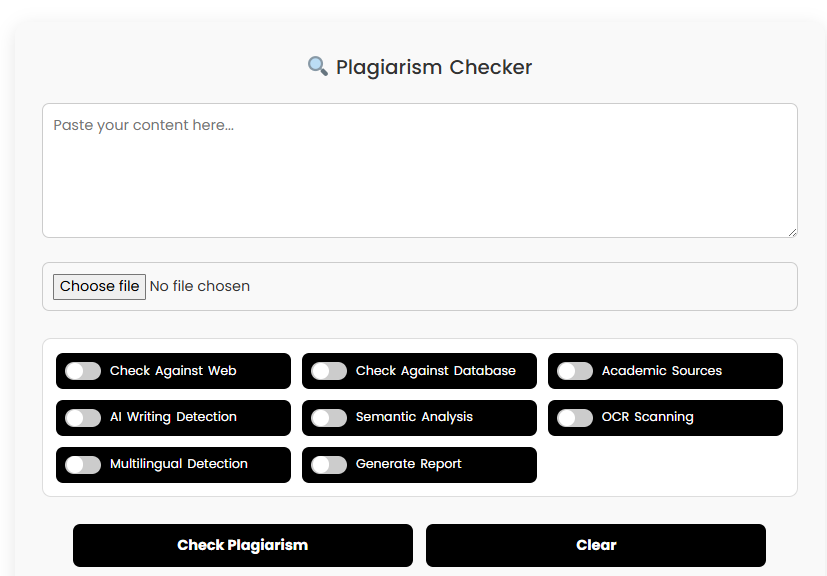
Plagiarism is a serious issue in the world of content creation, and it can have far-reaching consequences on your reputation, SEO rankings, and even legal standing. Whether you’re a student, a writer, a blogger, or a business professional, understanding how to avoid plagiarism is essential for maintaining integrity in your work. In this article, we will explore the importance of using online plagiarism checkers effectively to ensure your content is 100% original, and how these tools can support your efforts in producing high-quality, ethical material. What is Plagiarism and Why Should You Avoid It? Before diving into how to avoid plagiarism, it’s crucial to understand what plagiarism is. At its core, plagiarism refers to the act of copying someone else’s ideas, work, or content and presenting it as your own without proper attribution. This unethical practice can be intentional or accidental, but regardless of the intention, the consequences can be severe. The Risks of Plagiarism Legal Repercussions: In some cases, plagiarism can lead to legal action, especially if copyrighted materials are involved. Damaged Reputation: For content creators, plagiarism can ruin credibility and erode trust with your audience. SEO Penalties: Search engines like Google prioritize original content. Duplicate content can result in lower search rankings, diminishing the reach of your work. Academic Consequences: For students, plagiarism can lead to severe academic penalties, including expulsion in some cases. By using online plagiarism checkers, you can avoid these risks and produce content that is both original and trustworthy. How Do Online Plagiarism Checkers Help You Avoid Plagiarism? Online plagiarism checkers are powerful tools designed to detect copied content and similarities between your work and existing material on the web. These tools compare your text against a vast database of websites, articles, academic papers, and books to identify potential instances of plagiarism. Key Features of Plagiarism Checkers Comprehensive Database: Most plagiarism checkers scan millions of websites, academic journals, and articles to find matching content. Real-Time Detection: They instantly compare your content with their databases and highlight any similarities. Reports and Analytics: These tools generate detailed reports, showing the percentage of plagiarism and listing the sources from which content might have been copied. Multiple File Formats: Plagiarism checkers can handle various file types like Word documents, PDFs, and even web pages. By leveraging these features, you can quickly identify problematic sections in your content and take the necessary steps to correct them before publication. Popular Online Plagiarism Checkers You Should Consider There are numerous plagiarism detection tools available online. Below are some of the most popular and reliable ones: 1. Turnitin Turnitin is widely used by educational institutions, academic writers, and researchers. It compares documents to a vast database of academic work, including journals, publications, and student papers. Its detailed report shows the exact sources from which the text has been plagiarized. Pricing: Subscription-based pricing varies by institution or individual. Typical cost ranges from $5 to $50 per month, depending on the plan. 2. Copyscape Copyscape is a popular tool for bloggers, writers, and SEO professionals. It checks for duplicate content across the internet, helping content creators ensure that their work is unique. It’s user-friendly and offers a free version with limited features. Pricing: Free basic version available. Premium plans start at $0.05 per search. 3. Grammarly Grammarly, primarily known as a grammar checker, also offers plagiarism detection as part of its premium plan. It scans billions of web pages to identify content duplication, making it an excellent choice for writers seeking to improve both writing quality and originality. Pricing: Premium plan starts at $12 per month. 4. Quetext Quetext offers a straightforward plagiarism detection tool, providing both a free and Pro version. The Pro version provides in-depth analysis, which is great for professional content creators. Pricing: Free version available. Pro version starts at $10 per month. 5. Plagscan Plagscan is a plagiarism checker with a focus on academic writing and research papers. It offers real-time reports, supports multiple languages, and integrates with various document management systems. Pricing: Prices start at $5.99 for 1,000 words. How to Use Plagiarism Checkers Effectively 1. Choose the Right Tool for Your Needs Not all plagiarism checkers are the same. Some tools are better suited for academic content, while others are more appropriate for business or web content. It’s essential to choose the tool that best fits your type of work. 2. Understand the Report When you run a plagiarism check, the tool will provide you with a detailed report. Pay close attention to: Plagiarism Percentage: A high percentage of similarity indicates potential plagiarism. Source Details: The report will list sources where similar content is found. Use this to verify whether the matching content is indeed plagiarized or simply a coincidence. Matching Text: Highlighted sections that need to be rewritten or reworded. 3. Act on the Findings Once the plagiarism checker identifies similarities, take action: Cite Properly: If the similarity is due to direct quotes or ideas, ensure proper citation. Rephrase or Rewrite: If the tool detects paraphrasing, consider rewriting the content or rephrasing it to make it more original. Add Original Input: Strengthen the uniqueness of your content by adding your voice and analysis. 4. Check for Paraphrasing Plagiarism checkers can also identify instances of paraphrased content, which can be just as damaging as direct copying. Even when you paraphrase, make sure that the core idea is presented in your unique way, and always credit the original source if necessary. 5. Use Multiple Tools Sometimes, relying on one plagiarism checker may not be enough. Use a combination of free and paid tools to ensure your content is 100% original. How Much Do Plagiarism Checkers Cost? Pricing for plagiarism checkers varies widely, depending on the tool and the features offered. Here’s a breakdown of typical pricing: Tool Pricing Structure Key Features Turnitin Subscription-based (varies by institution) Academic-focused, in-depth analysis Copyscape Free and premium plans (start at $0.05) Web-focused, simple interface Grammarly $12 per month for Premium Grammar + Plagiarism detection Quetext Free and Pro (start at $10/month) Deep
How to Use a Word Counter to Improve Writing Accuracy – Tips for Better Content
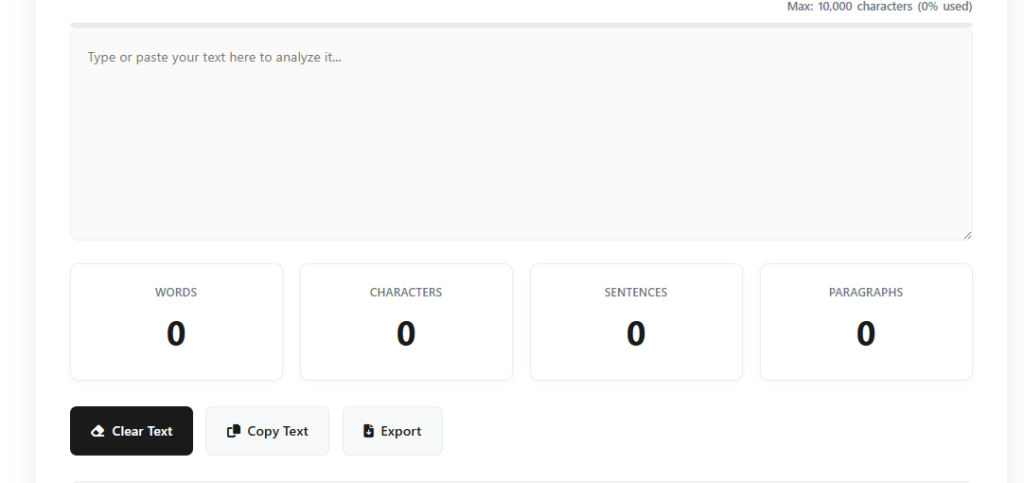
Writing is an art, and like any art, it requires precision, clarity, and balance. Whether you’re crafting blog posts, academic papers, or business reports, effective writing relies on both content quality and structure. One of the tools that can significantly enhance your writing accuracy is a word counter. This often-overlooked tool not only helps you meet word count requirements but also improves readability, structure, and overall content quality. In this blog, we will explore how a word counter can optimize your writing process, offering practical tips and strategies for using this tool effectively to improve your writing accuracy. Why Writing Accuracy Matters Before delving into how a word counter can help, it’s important to understand why writing accuracy matters. Writing accuracy ensures that your message is communicated clearly and concisely, without unnecessary fluff or ambiguity. It impacts your content’s readability, engagement, and SEO effectiveness. Here are a few reasons why writing accuracy is critical: Clarity: Accurate writing helps readers easily understand the message. Professionalism: Well-structured writing enhances your credibility. Engagement: Concise, to-the-point content keeps readers interested and engaged. SEO: Accurate writing ensures you meet SEO guidelines without unnecessary word bloat. What is a Word Counter and How Does It Work? A word counter is a tool that counts the number of words in a given text. However, it offers more than just a simple count. Many modern word counters come with additional features like: Character count: Count the number of characters with and without spaces. Sentence count: Track how many sentences are present. Reading time: Estimate how long it would take to read the text. Keyword frequency: Analyze how often certain words appear. These features can be invaluable when you’re working on writing projects that have specific guidelines, such as blog posts, essays, or SEO-optimized content. The Role of a Word Counter in Improving Writing Accuracy 1. Ensuring You Stay Within Word Count Limits One of the most obvious advantages of using a word counter is staying within the word count limit. Whether you’re writing for a publication that has strict guidelines or need to hit a target number for SEO purposes, knowing exactly how many words you’ve written can prevent you from going off-track. How a word counter helps: Stay focused: Helps you maintain brevity and focus on your core ideas. Avoid filler content: Encourages you to write only what’s necessary and avoid over-explaining. Meet deadlines: Helps you manage your time better by giving you a real-time word count. 2. Improving Readability and Flow A word counter can also help improve your content’s readability. By paying attention to sentence and paragraph length, you can create content that is easier for your readers to process. Shorter, more concise sentences are often easier to read and more engaging. How a word counter helps: Monitor sentence length: Keeps an eye on how long your sentences are, ensuring they don’t become too long and complex. Avoid redundancy: Ensures your content doesn’t repeat ideas unnecessarily, keeping your writing concise. Better structure: Promotes the creation of shorter, digestible paragraphs that flow better. 3. Enhancing SEO Performance SEO writing isn’t just about keyword density and quality content; it also depends on how well you structure your article. A word counter can assist you in balancing keyword usage, ensuring that your primary and secondary keywords are naturally integrated without keyword stuffing. How a word counter helps: Maintain keyword balance: Helps you keep your primary keyword usage within optimal density, ensuring your content remains natural. Track content length for SEO: Longer content tends to rank better on search engines, and a word counter can help you hit the recommended content length. Track readability for SEO: Tools like Yoast SEO provide readability analysis, and a word counter can help you refine your content to meet these standards. 4. Identifying Keyword Stuffing Keyword stuffing occurs when a writer unnaturally forces keywords into their content to manipulate search engine rankings. A word counter can identify when a specific keyword is overused, helping you avoid this SEO pitfall. How a word counter helps: Track frequency: By monitoring how often specific words are used, a word counter helps you maintain a natural flow. Avoid repetition: Ensures that you don’t repeat keywords too often, preserving the quality of your content. 5. Preventing Content Bloating It’s easy to fall into the trap of padding your content with unnecessary words to meet a word count. A word counter helps you avoid bloated content by encouraging clarity and precision. How a word counter helps: Stay concise: Encourages a leaner writing style by helping you focus on essential points. Remove filler words: Helps you eliminate redundant phrases that don’t add value. Key Features to Look for in a Word Counter Tool When choosing a word counter, look for one that offers the following features: Accuracy: It should provide precise word and character counts. User-friendly interface: An intuitive and easy-to-use design helps streamline your writing process. Additional metrics: Features like sentence count, reading time, and keyword frequency analysis can be extremely helpful. SEO tools: Some word counters integrate with SEO analysis tools, helping you optimize content for search engines. Here are a few popular word counters: WordCounter.net: Offers detailed insights like keyword frequency, reading time, and more. Grammarly: While primarily a grammar checker, it includes a word counter to help optimize your content length. Hemingway Editor: Provides readability statistics alongside a word count feature. How to Effectively Use a Word Counter in Your Writing Process 1. Start with a Clear Goal Before you begin writing, know your word count goal. Whether it’s 500 words for a quick blog post or 2,000 words for an in-depth guide, setting a clear word count goal can keep you focused and on track. 2. Use It During the Drafting Phase Don’t wait until you’ve written a full draft to use a word counter. Instead, keep it open as you write, allowing you to monitor your progress. This helps you stay within the required word count and ensures you don’t go overboard with
Will Truist Hire Me if I Have a DUI? Employment Policies Explained

When looking for a job, one of the most common concerns that potential applicants have is how a past legal issue, such as a DUI (driving under the influence) conviction, will impact their employment prospects. If you’re considering applying to Truist, a large American bank known for its commitment to diversity and inclusion, you may be wondering whether having a DUI on your record will prevent you from securing a position. In this article, we will explore Truist’s hiring policies, how they handle criminal records like DUIs, and offer insights into how you can improve your chances of getting hired despite your past. Truist’s Approach to Hiring and Criminal Records Truist, like many other large companies, follows a set of standardized procedures when it comes to hiring new employees. They are committed to building a diverse and inclusive workforce, and this includes taking a fair and balanced approach to applicants who may have a criminal record. That said, having a DUI conviction can still pose challenges during the hiring process. Background Checks and Their Impact Truist, as part of its hiring process, conducts background checks on potential employees. These background checks typically include: Criminal history: This includes DUIs, felonies, and misdemeanors. Credit history: Particularly for financial institutions, applicants may undergo credit checks. Employment history: To verify your past roles and experiences. It’s important to understand that while Truist does conduct these checks, a DUI conviction does not automatically disqualify you from consideration. Companies, including Truist, are required to follow specific guidelines regarding criminal records, particularly under the Equal Employment Opportunity Commission (EEOC) guidelines. The EEOC enforces a policy that prevents discrimination against individuals with criminal records unless the conviction is relevant to the job being applied for. Factors That May Affect Your Chances of Employment There are several factors that Truist (or any employer) will consider when determining whether a DUI conviction will impact your eligibility for hire. These include: Time elapsed since the conviction: If a significant amount of time has passed since the DUI, this may be viewed more favorably, especially if you have shown signs of rehabilitation and personal growth. Nature of the job: For positions that involve driving or operating heavy machinery, a DUI might be a more significant red flag. However, for roles that don’t require driving, such as in customer service or office administration, the impact of a DUI might be less severe. State laws: Different states have different laws regarding the disclosure of criminal records to employers. In some cases, you may not be required to disclose a DUI if it occurred several years ago. Rehabilitation efforts: If you’ve taken steps to address any issues related to your DUI (such as attending alcohol education classes, participating in rehabilitation programs, or demonstrating a clean driving record since the conviction), these efforts can help show that you’ve taken responsibility for your actions. Truist’s Official Employment Policies Regarding DUIs Truist’s official stance on hiring applicants with a DUI varies depending on several factors, including the job position, the specific role, and the applicant’s personal history. Generally, Truist’s policies are focused on creating opportunities for individuals to work, regardless of their past, while also ensuring that they meet the specific qualifications for the role. Truist’s Commitment to Fair Hiring Practices Truist adheres to the Fair Chance Act, which allows individuals with criminal histories to apply for jobs without being automatically disqualified. This is a crucial part of Truist’s efforts to provide second chances to qualified candidates. They look at applicants holistically, considering factors such as the severity of the crime, the time that has passed, and whether the applicant has made efforts to reform or change their behavior. Job Roles Most Affected by DUI Convictions While many positions at Truist may still be open to individuals with a DUI, certain roles may be more difficult to secure. Jobs that require a clean driving record or involve operating heavy equipment or vehicles could be more restrictive. For example, if you’re applying for a driver position or a role involving transporting money or equipment, a DUI conviction may disqualify you from consideration due to safety and insurance concerns. Positions Less Affected by DUI Convictions On the other hand, positions that do not require driving may have less stringent policies regarding DUI convictions. These positions may include: Customer service representatives Financial analysts IT professionals Administrative roles For these types of positions, your DUI may not be a significant hindrance, especially if you can demonstrate that you have taken responsibility for your past mistakes. How to Improve Your Chances of Being Hired Despite a DUI If you have a DUI on your record, there are several ways you can improve your chances of being hired by Truist or other employers. Here are some tips that may help: 1. Be Honest About Your DUI It’s important to be upfront about your DUI conviction when asked during the interview process. Lying or omitting this information can be seen as a red flag and can hurt your chances of securing the job. Transparency shows integrity and responsibility, which can be an asset during the hiring process. 2. Demonstrate Personal Growth and Rehabilitation If your DUI occurred years ago and you’ve taken steps to better yourself since, make sure to highlight this. Whether you’ve completed rehabilitation programs, attended counseling, or participated in community service, showing that you’ve learned from your mistakes and taken action to improve is key. 3. Highlight Your Skills and Experience Your experience and qualifications are what ultimately matter most to employers. Be sure to emphasize your skills, experience, and achievements that demonstrate your ability to succeed in the role you’re applying for. Prove to Truist that you are the right fit for the job despite your past. 4. Provide References and Character Letters If possible, gather references from employers, mentors, or individuals who can vouch for your character and the positive changes you’ve made since your conviction. These references can help show that you are trustworthy and dependable. 5. Look
Tech Careers in High Demand: Top Jobs to Consider in 2026

Tech Careers That Are in High Demand The technology industry has been one of the fastest-growing sectors in the global economy, with innovation constantly driving the demand for skilled professionals. As we move into 2026, certain tech careers are experiencing particularly high demand, making them lucrative and exciting fields for both newcomers and seasoned professionals. Whether you’re looking to pivot into tech or advance your career, knowing which tech roles are in high demand can help you make informed decisions. In this blog, we’ll explore some of the most sought-after tech careers, the skills you need to succeed in these fields, and why they are expected to grow in the coming years. Why Tech Careers Are in High Demand The world of technology continues to evolve rapidly, and with this evolution comes an increasing need for specialized professionals. From cloud computing to artificial intelligence (AI), the tech landscape is filled with opportunities. Here are a few reasons why tech careers remain in high demand: Technological Advancements: As businesses and governments adopt new technologies, there’s a constant need for experts who can design, implement, and manage these innovations. Digital Transformation: More companies are going digital, requiring employees with expertise in software development, cloud computing, and data analysis to ensure smooth transitions. Cybersecurity Threats: With the rise of cyberattacks, there’s a growing need for cybersecurity specialists to safeguard sensitive information. Remote Work and Collaboration: The surge in remote work and cloud-based collaboration tools has led to an increased demand for cloud engineers and IT support professionals. Data-Driven Decision Making: With the vast amounts of data being generated, organizations need data scientists and analysts to extract valuable insights that can drive business decisions. Now, let’s dive into the specific tech careers that are experiencing high demand. 1. Software Engineer Software engineering has been a staple tech career for years, and it continues to be one of the highest in demand. With the increasing reliance on technology in every industry, from healthcare to finance, the need for skilled software engineers is ever-growing. These professionals are responsible for designing, developing, and maintaining software applications that make businesses run efficiently. Skills Required: Proficiency in programming languages like Java, Python, C++, and JavaScript Problem-solving abilities and strong analytical skills Experience with software development methodologies (e.g., Agile, Scrum) Average Salary: Entry-Level: $60,000 – $80,000 Mid-Level: $90,000 – $110,000 Senior-Level: $120,000 – $150,000 Job Outlook: The Bureau of Labor Statistics (BLS) reports that software developers will see a 22% job growth through 2029, much faster than the average for all occupations. 2. Data Scientist Data science has become an essential part of modern business decision-making. As companies collect more data than ever before, they require skilled data scientists to interpret this information and provide actionable insights. Data scientists use machine learning, statistical analysis, and data visualization techniques to help organizations optimize their processes. Skills Required: Proficiency in Python, R, and SQL Strong knowledge of machine learning algorithms and data analysis techniques Experience with big data tools like Hadoop and Spark Average Salary: Entry-Level: $70,000 – $90,000 Mid-Level: $100,000 – $130,000 Senior-Level: $150,000 – $190,000 Job Outlook: Data science is one of the fastest-growing fields. According to LinkedIn, the demand for data scientists has grown by over 35% in recent years, and this trend is expected to continue. 3. Cybersecurity Specialist As businesses store more data online, the threat of cyberattacks has become a major concern. Cybersecurity specialists are responsible for protecting networks, systems, and sensitive information from malicious attacks. With cybercrime on the rise, cybersecurity experts are essential to ensuring the safety of organizations and individuals. Skills Required: Expertise in network security, cryptography, and ethical hacking Proficiency in tools like Wireshark, Nessus, and Metasploit Knowledge of cybersecurity frameworks such as NIST and ISO 27001 Average Salary: Entry-Level: $60,000 – $80,000 Mid-Level: $90,000 – $120,000 Senior-Level: $130,000 – $160,000 Job Outlook: According to the BLS, cybersecurity jobs are projected to grow by 31% from 2019 to 2029, much faster than the average for all occupations. 4. Cloud Engineer With the growing adoption of cloud computing, cloud engineers are in high demand. These professionals are responsible for managing and maintaining cloud infrastructure and services, ensuring they are secure, scalable, and efficient. Cloud computing is becoming a crucial part of business operations, especially for companies that rely on remote work and distributed systems. Skills Required: Experience with cloud platforms like AWS, Microsoft Azure, and Google Cloud Strong understanding of networking, virtualization, and storage technologies Proficiency in infrastructure-as-code tools like Terraform Average Salary: Entry-Level: $75,000 – $95,000 Mid-Level: $105,000 – $130,000 Senior-Level: $140,000 – $180,000 Job Outlook: The demand for cloud engineers is expected to grow by 15% through 2026, according to BLS projections, as more companies move their infrastructure to the cloud. 5. AI and Machine Learning Engineer Artificial intelligence and machine learning are revolutionizing industries, from healthcare to automotive. AI engineers design systems that can perform tasks that typically require human intelligence, such as language processing, decision-making, and visual recognition. Machine learning engineers, on the other hand, develop algorithms that enable machines to learn and improve on their own. Skills Required: Proficiency in machine learning frameworks like TensorFlow and PyTorch Strong background in programming languages such as Python and Java Understanding of neural networks and deep learning techniques Average Salary: Entry-Level: $80,000 – $100,000 Mid-Level: $120,000 – $150,000 Senior-Level: $160,000 – $200,000 Job Outlook: AI and machine learning roles are among the fastest-growing job categories. The demand for AI specialists is expected to increase by 16% over the next decade, according to the BLS. 6. UX/UI Designer User experience (UX) and user interface (UI) designers are critical for creating intuitive, visually appealing, and user-friendly digital products. As companies compete for customer attention in an increasingly crowded market, ensuring a seamless digital experience is essential. UX/UI designers work closely with developers and product managers to optimize the usability of websites, apps, and software. Skills Required: Expertise in design tools like Adobe XD, Sketch, and Figma Strong understanding of user research and
The Benefits of Using Online Conversion Tools for Personal and Business Use – Save Time & Boost Efficiency

In today’s fast-paced world, efficiency is key, whether you’re handling personal tasks or managing a business. One of the most effective ways to save time and improve accuracy is by using online conversion tools. These tools have become essential for various needs, from converting file formats to transforming units of measurement or even currencies. Whether you’re an entrepreneur, a freelancer, or simply someone who frequently needs to convert files or data, online conversion tools can make your life a whole lot easier. In this blog post, we’ll explore the many benefits of using these tools, how they can improve productivity, and why they’re indispensable for both personal and business use. What Are Online Conversion Tools? Online conversion tools are web-based applications designed to help users convert different types of data from one format to another. These tools can perform a wide variety of conversions, such as: File format conversions (e.g., PDF to Word, MP3 to WAV) Unit conversions (e.g., kilometers to miles, kilograms to pounds) Currency conversions (e.g., USD to EUR) Image or video conversions (e.g., JPG to PNG, MP4 to AVI) These tools are typically free or offered at a low cost, and can be accessed anytime via a browser, eliminating the need for additional software or complex processes. The Key Benefits of Online Conversion Tools 1. Convenience and Accessibility One of the most significant benefits of online conversion tools is their convenience. You no longer need to download or install bulky software programs on your computer. All you need is a reliable internet connection, and you can access a variety of conversion tools from virtually any device, including desktops, laptops, and mobile phones. This ease of access allows you to make quick conversions without being tied to a particular location or device. Whether you’re at home, in the office, or traveling, you can perform a conversion in just a few clicks. 2. Saves Time and Increases Productivity When dealing with both personal and business tasks, time is often of the essence. Manual conversions can be tedious and prone to errors. Online conversion tools can streamline processes and reduce the time it takes to complete a task. For example, a currency converter can quickly calculate exchange rates, allowing you to make informed financial decisions in real time. Similarly, converting large files or documents from one format to another can be done in seconds, saving you the hassle of formatting documents manually. By cutting down the time spent on conversions, you’ll have more time to focus on other important tasks, thus increasing your overall productivity. 3. Accurate and Reliable Conversions Online conversion tools offer high accuracy, reducing the chances of mistakes that can occur when converting manually. Whether it’s unit conversions or file formats, these tools ensure that your conversions are precise and consistent every time. For instance, file conversion tools will preserve the integrity of the data, such as keeping the layout and fonts intact when converting a Word document to a PDF. Similarly, a currency converter will fetch real-time exchange rates, ensuring that your financial calculations are up-to-date. This reliability is crucial in both personal and business contexts, where precision is important for decision-making, reporting, and communication. 4. Cost-Effective Solutions Many online conversion tools are free to use, with some offering premium versions for more advanced features. Even for businesses that require more specialized conversions, premium tools are typically much more affordable than purchasing expensive software licenses. For instance, instead of buying software to convert large numbers of image files from one format to another, you can simply use an online image converter for free. Similarly, many currency and unit conversion tools are free or have minimal costs, making them perfect for businesses and individuals with limited budgets. In addition to saving on software costs, these tools eliminate the need for additional hardware or IT support, further reducing overheads. 5. Support for a Wide Range of Formats and Units Online conversion tools often support a wide array of formats and units, enabling you to convert a broad range of file types or measurements. Whether you need to convert audio files, video formats, documents, or even web pages, there’s likely an online tool to suit your needs. Moreover, unit conversion tools can help with everything from weight and distance to volume and temperature. This versatility makes these tools indispensable for personal use, as well as for businesses that require frequent conversions in various fields, such as engineering, finance, or e-commerce. 6. Secure and Private When using a reputable online conversion tool, your files and data are typically handled with high levels of security. Many of these tools use encryption protocols to ensure the safety of sensitive information during the conversion process. Additionally, most online conversion platforms delete files after a certain period or after the conversion process is completed, ensuring that your information remains private. For businesses that handle sensitive documents or personal data, privacy is a significant concern. Fortunately, many online conversion tools comply with privacy regulations, making them a safe choice for conversions. 7. User-Friendly Interface Most online conversion tools are designed with user-friendliness in mind. Even if you’re not tech-savvy, you can typically navigate the platform with ease. Most tools have straightforward interfaces, where you simply upload the file or input the data you want to convert and then select the format or unit you need. The simplicity and ease of use make these tools accessible to everyone, whether you’re an individual handling personal documents or a business manager overseeing complex workflows. 8. No Need for Installation or Updates Unlike traditional software programs that require installation and periodic updates, online conversion tools operate directly from the web. This eliminates the need for downloading, installing, or keeping track of software updates, which can be time-consuming. With online tools, you can access the most current version of the platform at any time without worrying about compatibility issues or missing updates. This makes the process even more seamless and hassle-free. How Online Conversion Tools Benefit Businesses Businesses, both
Top Online Tools for PDF to Excel Conversion: What You Need to Know

In today’s digital world, converting PDFs to editable formats is essential for many businesses and individuals. PDF documents are often used for their security and ease of sharing, but when it comes to data manipulation, they can be quite cumbersome. One of the most popular conversions is from PDF to Excel, which is crucial for analyzing and organizing data in spreadsheets. This blog will highlight the top online tools for PDF to Excel conversion, making it easier for you to choose the right one for your needs. Why Convert PDF to Excel? Before we dive into the top online tools, let’s briefly discuss why converting a PDF to Excel can be beneficial. Data Extraction: PDFs are often used to store data, such as financial reports, invoices, and inventory lists. By converting these files to Excel, you can easily extract and manipulate the data for analysis. Editable Format: While PDFs are excellent for presenting finalized documents, they are not easy to edit. Excel provides the flexibility to edit, update, and analyze data effortlessly. Automated Data Entry: Converting PDF to Excel helps eliminate the need for manual data entry, saving time and reducing errors. Now, let’s take a closer look at the best online tools available for PDF to Excel conversion. 1. Seostrix PDF to Excel Converter Seostrix offers a powerful PDF to Excel conversion tool that ensures you get high-quality, accurate results. This online tool is designed to cater to both individuals and businesses, making it ideal for converting PDF files that contain tabular data, financial reports, or lists. Key Features: Fast and Accurate Conversion: Seostrix ensures minimal data loss during conversion, preserving the integrity of your information. User-Friendly Interface: The website is simple to use, with an intuitive design that guides you through the conversion process in a few steps. Security: Seostrix takes privacy seriously and deletes all uploaded files after conversion, ensuring that your documents remain secure. Free Version Available: For users with occasional conversion needs, Seostrix offers a free PDF to Excel conversion with a limited number of conversions per day. Pricing: Plan Price Features Free Plan Free Limited conversions, basic support Premium Plan $9.99/month Unlimited conversions, advanced features, priority support Why Choose Seostrix: Seostrix stands out due to its commitment to security, accuracy, and speed. The tool is perfect for those looking to convert PDF files without compromising the integrity of their data. 2. Smallpdf PDF to Excel Converter Smallpdf is a well-known online PDF tool that offers a straightforward solution for PDF to Excel conversion. Whether you need to convert a simple table or a complex document, Smallpdf can handle it with ease. Key Features: Drag-and-Drop Interface: Smallpdf allows users to simply drag and drop their PDF files into the converter for fast processing. High-Quality Results: The tool offers an impressive conversion quality, ensuring that tables and data structures are preserved. Cloud Integration: Smallpdf integrates seamlessly with cloud storage services like Google Drive and Dropbox, making it easy to store and access converted files. Pricing: Plan Price Features Free Plan Free Limited conversions per day Pro Plan $12/month Unlimited conversions, additional tools, cloud integration Why Choose Smallpdf: Smallpdf’s simplicity and reliability make it a popular choice for those who want a fast and effective PDF to Excel conversion tool. 3. ILovePDF PDF to Excel Converter ILovePDF is another excellent choice for converting PDF documents to Excel. It is an easy-to-use online tool that offers additional features to enhance your PDF editing experience. Key Features: Batch Processing: ILovePDF allows users to convert multiple PDF files to Excel at once, making it a great option for bulk conversions. Cloud-Based Storage: You can easily save and retrieve your files from popular cloud storage platforms. Additional PDF Tools: Besides conversion, ILovePDF offers various other tools to edit, merge, and compress PDFs, making it a one-stop solution for all your PDF needs. Pricing: Plan Price Features Free Plan Free Limited features, lower priority for batch processing Premium Plan $6/month Unlimited conversions, priority support, batch processing Why Choose ILovePDF: ILovePDF is perfect for users who require additional PDF manipulation features in addition to conversion. Its batch processing feature is particularly useful for businesses handling large volumes of documents. 4. Adobe Acrobat Online PDF to Excel Converter As one of the leaders in PDF software, Adobe offers an online tool for converting PDF to Excel. Known for its powerful tools, Adobe ensures top-quality conversion for both personal and business users. Key Features: Precision Conversion: Adobe’s PDF to Excel conversion ensures that all data is accurately extracted and formatted in Excel. Secure: As with other Adobe products, this tool ensures that all files are processed securely and are automatically deleted after conversion. Integration with Adobe Acrobat: Users who are familiar with the Adobe ecosystem will appreciate the seamless integration with other Adobe products. Pricing: Plan Price Features Free Plan Free Limited conversions, requires registration Premium Plan $14.99/month Full access to all Adobe tools, including PDF to Excel Why Choose Adobe Acrobat: Adobe offers a reliable, high-quality conversion process with excellent accuracy, especially for complex documents. It’s ideal for users who already use Adobe products and need advanced features. 5. PDF2Go PDF to Excel Converter PDF2Go is another reliable online tool that provides fast PDF to Excel conversions. This tool supports a wide variety of PDF files and offers an intuitive user interface. Key Features: Easy-to-Use: The PDF2Go interface is simple and straightforward, making it easy for beginners to convert PDF files. Supports Large Files: Unlike many other free tools, PDF2Go supports larger PDF files, making it a great option for users dealing with hefty documents. Batch Conversion: Like ILovePDF, PDF2Go offers batch conversion for users who need to process multiple files at once. Pricing: Plan Price Features Free Plan Free Limited conversions per day Premium Plan $9.99/month Unlimited conversions, batch processing, priority support Why Choose PDF2Go: PDF2Go stands out for its ability to handle larger files and batch processing, making it a great tool for heavy users who need to convert multiple documents